
Choosing a Cafe Pos System is no longer a simple checkout decision. Global cafe owners need technology that works across currencies, tax rules, languages, and payment habits. A busy barista cannot wait while a terminal freezes during the morning rush. A manager also needs clear sales data, inventory visibility, staff permissions, and dependable reporting.
Restaurant technology consultant Aaron Allen has expressed a useful principle: “Technology should enhance hospitality, not replace it.” That idea matters when comparing the top 10 Cafe Pos System options for global buyers. The strongest platforms support fast ordering without making service feel mechanical. They connect with accounting tools, delivery platforms, loyalty programs, kitchen displays, and payment providers. Some also continue operating during short internet outages. That detail can protect a cafe’s busiest hour.
Yet no system fits every market perfectly. A polished interface may hide weak local support. Low subscription pricing may exclude essential reporting or hardware features. International expansion can expose unexpected currency, compliance, and data-storage limitations. Buyers should test real workflows before signing: opening a register, splitting a bill, refunding a card payment, changing a menu item, and closing the day.
Small details matter.
This guide compares leading systems through practical experience and measurable criteria. It considers usability, scalability, security, integrations, support quality, and total ownership cost. The rankings are useful, but not absolute. A neighborhood coffee shop and a multi-country cafe group may need very different tools. The best choice is the one that reduces friction while leaving staff more time for customers.
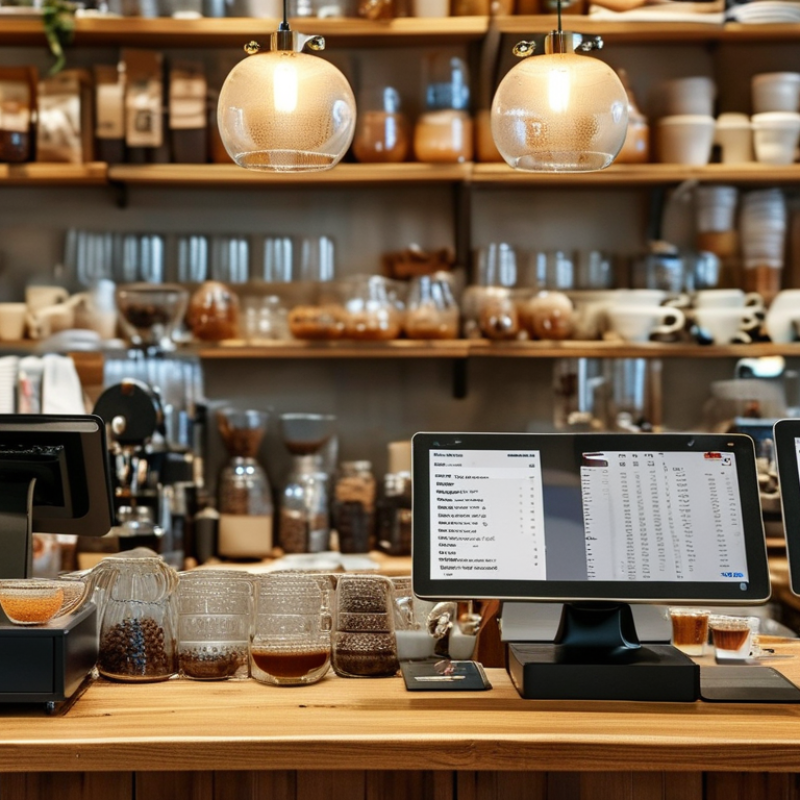
A cafe POS system is the operational hub behind a modern coffee shop. It records orders, processes payments, updates inventory, and sends tickets to the barista station. In practice, staff can tap a latte, adjust milk options, and view the order on one screen. This reduces repeated entry during busy morning hours. A useful POS also supports multiple currencies, languages, tax settings, and payment methods. These features matter when one cafe serves tourists or operates across several countries.
Global operations require more than simple checkout tools. Managers need cloud reporting, role-based access, and sales data that remains readable across locations. Inventory alerts can identify rising demand for beans, pastries, or takeaway cups. Offline functionality is also valuable when internet service fails. It should store transactions safely and synchronize them later. Security controls, audit records, and privacy settings deserve close attention. Local payment preferences may also affect customer experience.
No system is flawless. A complicated interface can slow new employees during their first shift. Poorly configured tax rules can distort reports. Managers should test menus, refunds, currencies, and staff permissions before launch. They should also review support response times and data export options. Real cafe experience shows that reliable basics often matter more than impressive extras. The best choice depends on store size, workflow, connectivity, and expansion plans. Testing it during a crowded service period may reveal problems that a quiet demonstration hides.
A modern cafe POS system should connect the counter, kitchen, inventory, payments, and customer records in one clear workflow. Speed matters. Staff should send a drink order to the correct preparation station within seconds. The interface must support modifiers, split payments, refunds, tax rules, digital receipts, and offline selling when connectivity fails. According to the National Restaurant Association’s 2024 State of the Restaurant Industry report, U.S. restaurant sales were projected to exceed 1 trillion dollars. That scale makes reliable transaction processing and accurate reporting essential, even for a small cafe.
Payment flexibility is another defining feature. The Worldpay Global Payments Report 2024 found that digital wallets represented about 50% of global e-commerce transaction value and 30% of in-store payment value in 2023. A modern system should therefore accept cards, mobile wallets, contactless payments, and local methods without creating confusing steps for staff.
Strong role permissions, encrypted data, audit trails, and PCI-aligned security also protect daily operations. Inventory tools should track beans, milk, syrups, and packaging by recipe usage, not only by manual counts. Waste alerts help, but they are not magic. Poor setup still produces poor forecasts. Managers need live sales dashboards, labor insights, and exportable reports for informed decisions. I would also test accessibility and staff training before purchase, because impressive features can fail during a crowded morning rush.
Comparing the top 10 cafe POS systems for global buyers requires more than checking monthly prices. Start with daily service needs: counter orders, table management, kitchen tickets, refunds, and stock updates. A useful system should support local currencies, languages, tax settings, and regional payment methods. Test these functions with realistic orders, including split bills and discounted drinks.
Look closely at reliability and practical experience. Can the POS continue taking orders during a short internet outage? Does it sync sales data safely after reconnection? Check hardware compatibility, employee permissions, reporting depth, and integration with accounting or delivery tools. Security matters too, especially when handling customer and payment information. Ask for clear data ownership terms and readable cancellation policies. Vague answers are a warning.
Tips: Build a comparison sheet before contacting suppliers. Record setup fees, hardware costs, transaction charges, training time, and support hours. Request a live trial using your busiest menu. A five-minute demonstration can hide important limitations. Also test the system on a slow tablet. Real cafes are noisy, rushed, and imperfect. I would not choose the platform with the prettiest dashboard alone. Staff may need fewer clicks, not more reports. Speak with current users in similar markets, but remember their workflows may not match yours. A system that works well in one country can still struggle with local taxes, language settings, or settlement schedules.
This practical comparison framework prioritizes the capabilities that matter most when evaluating cafe POS systems across countries and regions. Buyers can apply these weightings to each shortlisted system using verified pricing, payment, offline, inventory, integration, reporting, and support information.
Choosing among the top 10 cafe POS systems requires more than comparing menus, terminals, and monthly fees. Regional payment habits can change the best option completely. The Worldpay Global Payments Report 2024 found that digital wallets represented about half of global e-commerce transaction value in 2023. Yet the European Central Bank reported that cash still accounted for 59% of euro-area point-of-sale payments in 2022. A cafe serving tourists may need both fast wallet acceptance and dependable cash handling.
Local banking access also matters. The World Bank’s Global Findex 2021 reported that 76% of adults worldwide held a financial account, but access remained uneven across developing markets. Therefore, POS selection should examine offline payment support, local debit networks, currency handling, and settlement speed. Internet reliability deserves attention too. A beautiful cloud system is weak when a rural café loses connectivity during the morning rush.
Tax and privacy rules create another regional filter. Payment data should support local receipts, fiscal reporting, and secure access controls. PCI DSS v4.0 also increases expectations for payment security and ongoing risk management. Integration quality matters more than a long feature list. Check whether the system connects with regional accounting, delivery, and inventory tools. Test it during peak service, not in a quiet showroom. That exposes awkward workflows. I may overvalue automation here; some small cafes still prefer simple screens and human checks. The right choice is market-specific, operationally tested, and open to revision.
Choosing a cafe POS system starts with daily operations, not a glossy feature list. Map the counter journey from order entry to receipt, refunds, and end-of-day reporting. Watch where staff pause. Those pauses often reveal more than vendor demonstrations.
Global buyers should check currency support, tax rules, language settings, payment options, and data-storage requirements. Confirm whether the system works with local processors and fiscal devices. Ask how transaction data is protected, exported, and restored. A clear service agreement matters. So does responsive support.
Deployment should begin with a controlled pilot. Use one location, several terminals, and real menu items. Test rush-hour orders, split payments, discounts, internet outages, and inventory changes. Train staff with short scenarios, not long manuals. Keep a paper fallback during the first weeks. It feels old-fashioned, but it protects service when systems fail.
Managers should measure order speed, error rates, refund frequency, and staff confidence after launch. Review these results weekly. A technically capable system may still frustrate a busy team. Our own deployment plans have sometimes underestimated menu complexity and training time. That mistake is useful if teams document it and adjust quickly. Avoid signing for features that nobody will use. A smaller, stable setup can be safer than an ambitious one.
A practical buyer’s comparison for selecting, evaluating, and deploying the right point-of-sale system
| Rank / System Profile | Best-Fit Cafe Type | Deployment Model | Core POS Functions | Offline Operation | Multi-Location Capability | Inventory Depth | Payment and Tax Readiness | Hardware Flexibility | Typical Cost Structure | Implementation Effort | Overall Buyer Score |
|---|---|---|---|---|---|---|---|---|---|---|---|
| 1Profile A | Independent cafes requiring a fast, simple checkout | Cloud-first Web and tablet access | Orders, modifiers, discounts, receipts, refunds, staff permissions, sales reports | Yes Core transactions can continue during short internet interruptions | Basic to moderate Shared menus and consolidated reporting | Ingredient counts, low-stock alerts, purchase records | Supports local payment integrations and configurable tax rules; country availability must be verified | Commercial tablets, receipt printers, cash drawers, barcode scanners | Monthly subscription plus payment processing and optional hardware | Low Usually suitable for a one-week pilot | 9.1 / 10 |
| 2Profile B | Growing cafe groups with several branches | Cloud-based Central administration | Central menus, pricing, employee roles, transfers, promotions, branch reporting | Yes Local order capture with later synchronization | Strong Location-level controls and group reporting | Recipe costing, ingredient depletion, supplier management, stock transfers | Multi-currency and regional tax support may be available; payment certification varies by market | Tablet, desktop, kitchen display, customer display, printer, handheld options | Per-location subscription with onboarding and optional enterprise modules | Moderate Requires menu and location data preparation | 9.0 / 10 |
| 3Profile C | Specialty coffee shops focused on menu accuracy | Cloud and tablet Central menu control | Complex modifiers, sizes, milk options, add-ons, order notes, customer display | Partial Offline scope depends on hardware and payment configuration | Moderate Good for small regional groups | Recipe-level tracking, waste logging, par levels, count sheets | Tax configuration and payment options depend on the acquiring market and local integration partners | Tablet-led setup with optional kitchen printers and displays | Subscription by register or location; hardware purchased separately | Low to moderate Menu mapping is the main task | 8.8 / 10 |
| 4Profile D | Quick-service cafes with queues and high order volume | Cloud-connected Counter and handheld workflows | Quick keys, order throttling, kitchen routing, split payments, queue management | Yes Important transaction functions remain available offline | Strong Standardized workflows across branches | Operational stock control, waste, transfers, supplier item lists | Designed for integrated card, contactless, wallet, and QR payment workflows where supported | Counter terminals, handheld devices, kitchen displays, printers, self-service accessories | Subscription plus hardware lease or purchase; payment fees usually separate | Moderate Requires service-flow testing before launch | 8.7 / 10 |
| 5Profile E | Cafes combining dine-in, takeaway, and delivery | Cloud platform Online and in-store channels | Table orders, takeaway tickets, delivery coordination, service charges, digital receipts | Partial Online ordering and delivery features require connectivity | Moderate Suitable for small to mid-sized groups | Product-level stock, recipes, purchasing, waste and margin reports | Supports configurable tax, tips, service charges, and local payment connections subject to country coverage | Tablet, terminal, kitchen printer, display, QR ordering devices | Monthly platform fee with optional online-ordering and delivery modules | Moderate Requires channel and printer configuration | 8.6 / 10 |
| 6Profile F | Small cafes seeking low upfront investment | Mobile-first Tablet or smartphone compatible | Basic checkout, catalog, modifiers, refunds, discounts, sales summaries | Limited to moderate Offline payment support depends on the payment device | Basic Best for a small number of sites | Simple item counts and low-stock monitoring; limited recipe functionality | Often optimized for card and wallet payments, but local settlement and tax requirements must be checked | Low-cost tablets, compact printers, cash drawers, card readers | Low monthly fee or free entry tier with transaction-based charges | Low Can often be configured by the owner | 8.3 / 10 |
| 7Profile G | Premium cafes needing detailed customer engagement | Cloud suite POS, loyalty, and marketing modules | Customer profiles, loyalty points, gift cards, promotions, feedback, targeted offers | Partial Customer engagement features generally need connectivity | Strong Shared customer and loyalty database | Standard inventory with recipe and product-level extensions | Payment, tax, gift-card, and data-hosting availability varies by country and implementation partner | Counter terminals, tablets, customer displays, printers, loyalty scanners | Subscription by location plus optional loyalty and marketing modules | Moderate to high Customer-data migration may be required | 8.2 / 10 |
| 8Profile H | Cafes with serious purchasing and cost-control requirements | Cloud or hybrid Back-office focused | Sales, purchasing, recipes, stock counts, supplier pricing, cost analysis, approvals | Partial Offline checkout may be available, while back-office functions require internet | Strong Detailed branch, warehouse, and supplier controls | Advanced Recipe costing, yield, waste, transfers, purchase orders, variance analysis | Accounting, tax, and payment integrations require market-specific validation | Flexible support for traditional tills, tablets, kitchen systems, and office devices | Higher subscription with implementation, integration, and support charges | High Best introduced with documented processes | 8.1 / 10 |
| 9Profile I | Food halls, campus cafes, and multi-concept venues | Cloud platform Multiple menus and revenue centers | Separate concepts, shared payments, menu permissions, consolidated settlement, reporting | Yes Offline continuity should be confirmed for each payment workflow | Strong Multiple revenue centers and operator permissions | Moderate to advanced, depending on recipe, purchasing, and warehouse modules | Useful for mixed tender types and regional configuration; local legal and payment checks remain necessary | Multiple terminals, handhelds, kitchen displays, printers, kiosks, and customer screens | Enterprise subscription with site, register, and integration charges | High Requires site mapping and permission design | 7.9 / 10 |
| 10Profile J | Traditional cafes prioritizing local control and customization | On-premise or hybrid Local server with optional cloud reporting | Checkout, table service, staff management, reporting, local configuration, peripherals | Strong Local operation is less dependent on continuous internet access | Moderate Multi-site synchronization depends on the installed architecture | Product and recipe inventory; advanced purchasing may require an additional module | Local payment devices, fiscal requirements, and tax rules are often configured through regional partners | Broad peripheral support, including tills, printers, scanners, kitchen systems, and cash management | One-time license or annual maintenance plus hardware, support, and upgrade costs | High Usually requires technical installation and staff training | 7.7 / 10 |
Buyer note: These profiles represent common POS capability patterns in the global cafe market rather than named vendors. Actual country coverage, payment certification, tax compliance, offline behavior, data residency, pricing, and hardware compatibility should be confirmed directly during procurement.